> ## Documentation Index
> Fetch the complete documentation index at: https://docs.prince.so/llms.txt
> Use this file to discover all available pages before exploring further.
# Rules
## Overview
Rules are system-level instructions that help Prince agents follow guidelines across chats.
Prince provides a list of rules common to institutional financial modeling. You can also provide custom instructions.
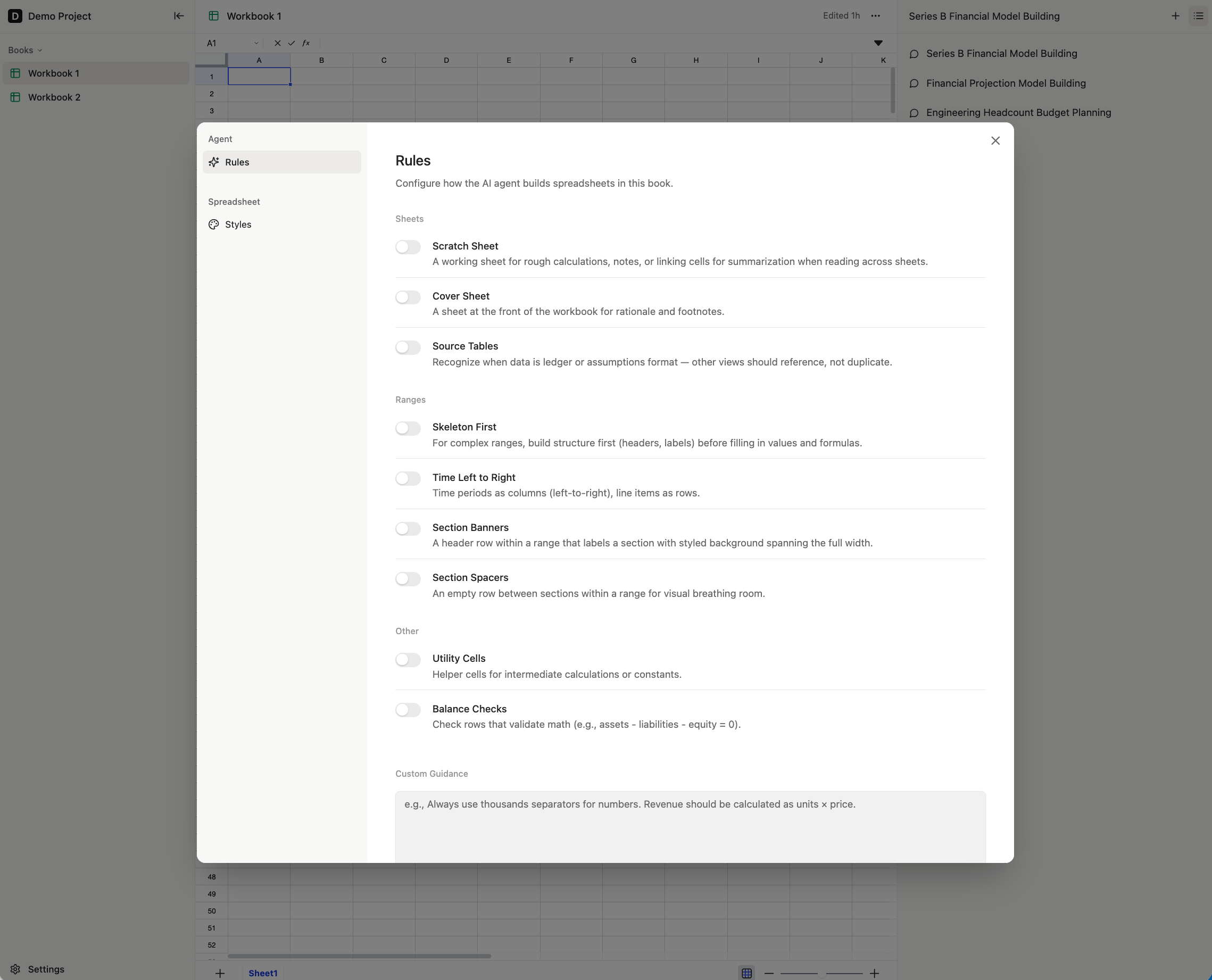 ## Configuring Rules
Rules can be configured at the Project level and at the workbook level.
### Project-level Rules
Project-level Rules can be configured in Settings - all new workbooks created in the current Project will start out with these default rules.
### Workbook-level Rules
Workbook-level Rules can be configured by clicking on the three dots at the top right of the workbook, then clicking
## Configuring Rules
Rules can be configured at the Project level and at the workbook level.
### Project-level Rules
Project-level Rules can be configured in Settings - all new workbooks created in the current Project will start out with these default rules.
### Workbook-level Rules
Workbook-level Rules can be configured by clicking on the three dots at the top right of the workbook, then clicking Configure.